

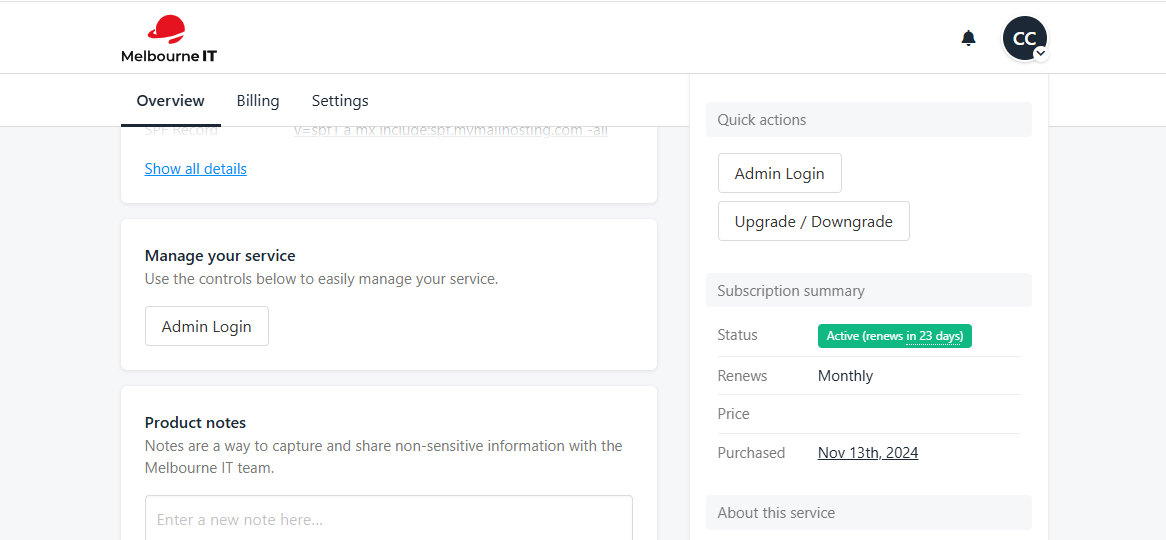
- Log into melbourneit.au client area and then find your Professional or Business email service
- Head to the overview tab and in the Manage Your Service section, click “Admin Login”
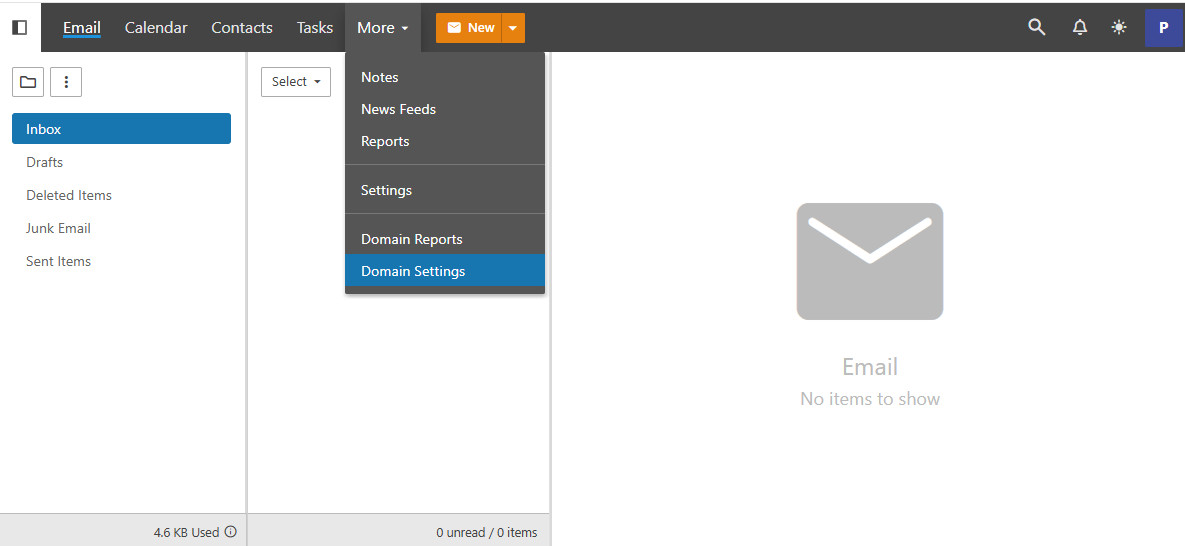
- Go to domain settings
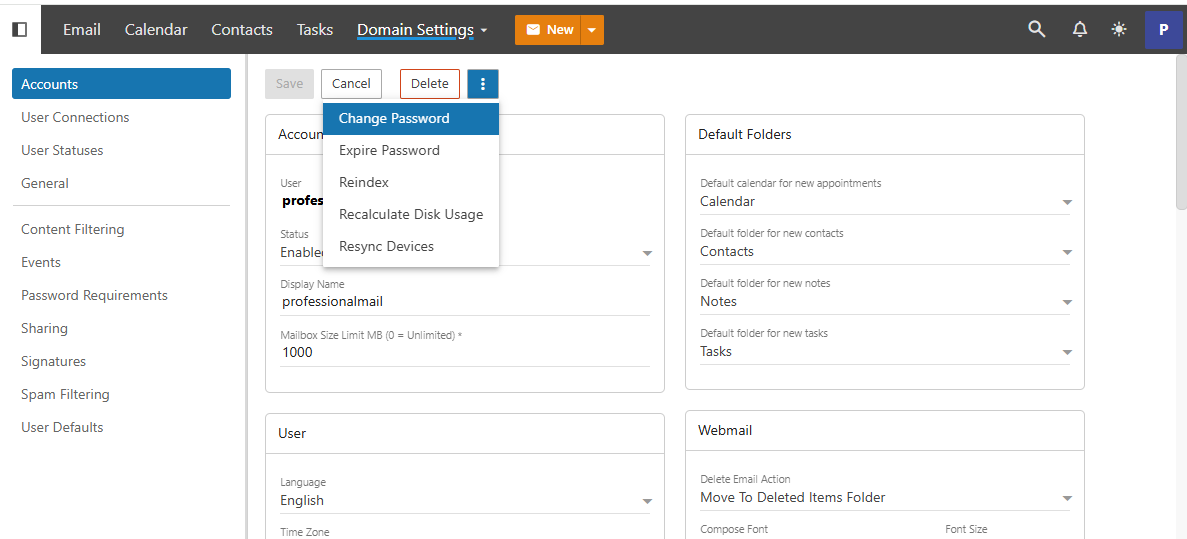
- Select the email account you wish to manage and click the three dots
- Reset the password in the popup, ensuring that it meets the security guidelines
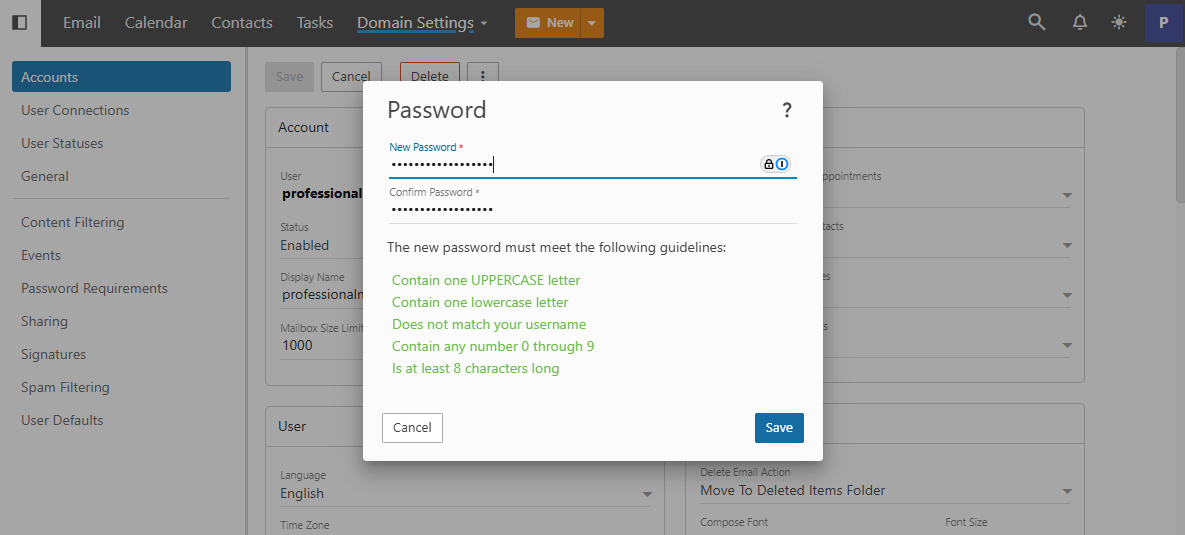 Done! You will be able to use this new password to log in on webmail and through your devices. If you run into any issues when completing the above steps, please don’t hesitate to reach out to our Customer Care team.