

- Log in to cPanel
- Under Domains, click Redirects

- Under Type, select Permanent (301) or Temporary (302)
- Permanent (301) — Use this option if you are permanently redirecting your website
- Temporary (302) — Use this option if you are temporarily redirecting your website

- Under https?://(www.)?, select the domain you want to redirect or select All Public Domains to redirect all of the domains in your cPanel account
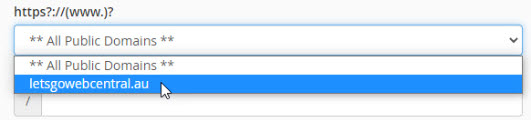
- To keep things simple, leave the / (forward slash) section blank as this will redirect your entire domain to another website.

- Under Redirects to, type in the web address of the website you want your customer to be taken to when they search your domain name

- Under www. redirection:, select the option that fits your needs

- You can leave the Wild Card Redirect unticked

- Click Add
 You can view and delete your redirections under Current Redirects
