

- Login to your account.
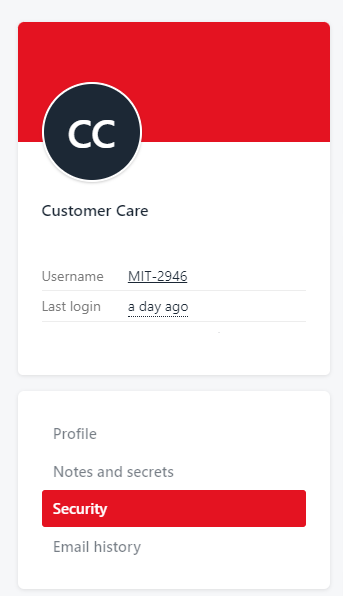
- Navigate to the “My Account” page and select “Security” on the left hand side.
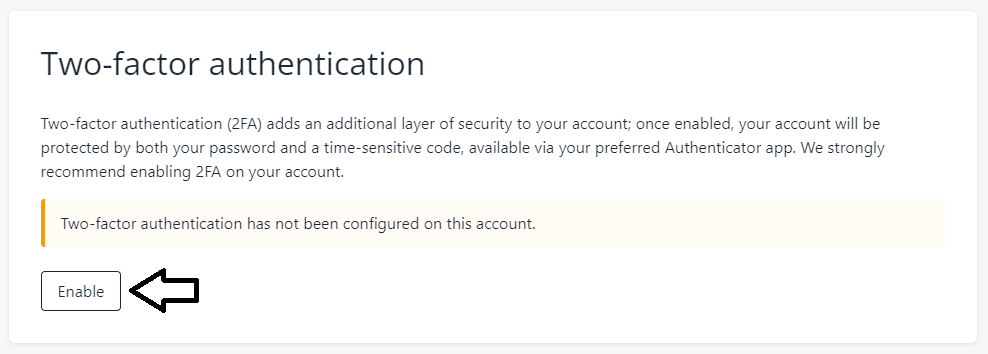
- Scroll down and select “enable”
- You will be prompted download an MFA app on a device of your choosing (mobile or tablet). We recommend Authy, Duo Mobile, Last Pass Authenticator or Microsoft Authenticator.
- Once you have downloaded an MFA app on your device, the app will ask you to ‘Add an Account’ and ‘Scan a QR Code’.
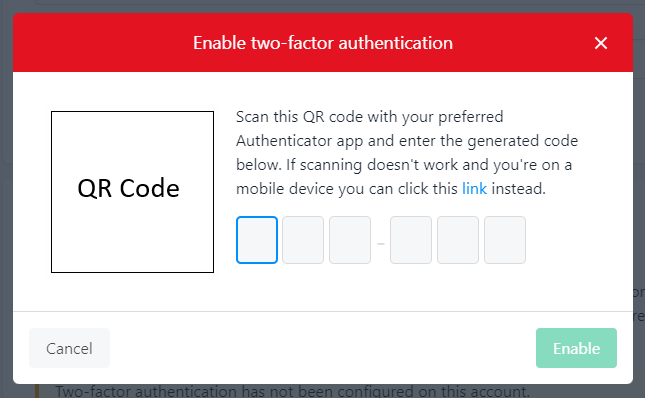
- After scanning the QR code in the app on your device, you will be presented with a token code. Please type this into Console MFA prompt at the bottom of the pop-up labelled ‘Type your MFA code below’.