

- Log into your online account
- Navigate to the ‘My Account’ tab from the menu
- Under ‘Profile,’ you can update the account holder name.
- To update your email address or phone number, scroll down and click ‘Add New’ next to ‘Emails’ and ‘Phones’
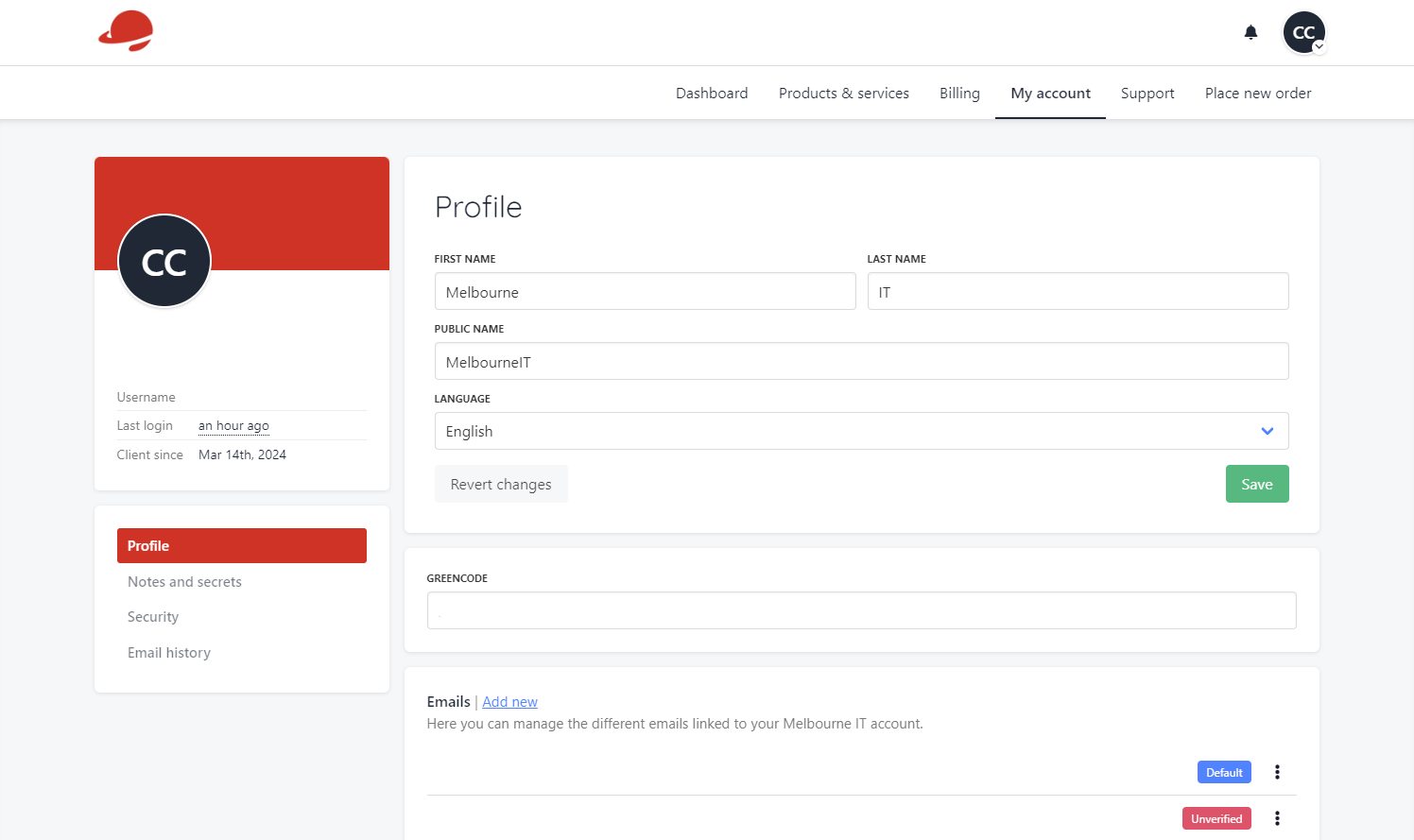 If you need to update your address or company details, you can scroll to the bottom of the page and click ‘Add New’ next to ‘Address and Company Details.’