

Manage zone records in cPanel
You can add, edit, and delete zone records in cPanel.- Log in to cPanel
- Under Domains click Zone Editor

- Next to the domain click Manage

- You can now Edit, Delete or Add zone records
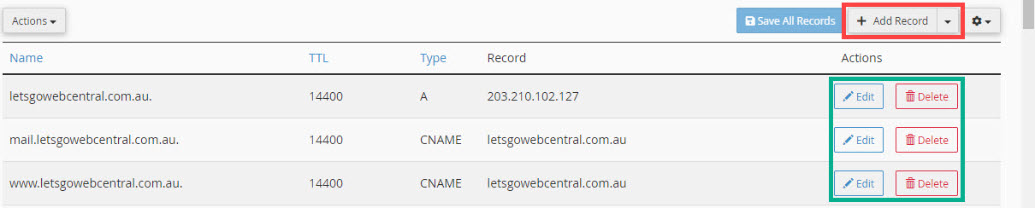 Add a zone record in cPanel
- Click + Add Record

- Under Type, click the drop-down menu and select the record you want to add
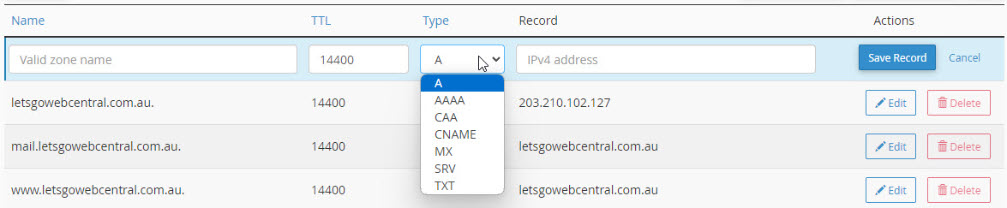
- Under Name, enter the Valid Zone Name
- Under Record, enter the record (this will be different depending on the type of zone record you have selected)

- Click Save Record