

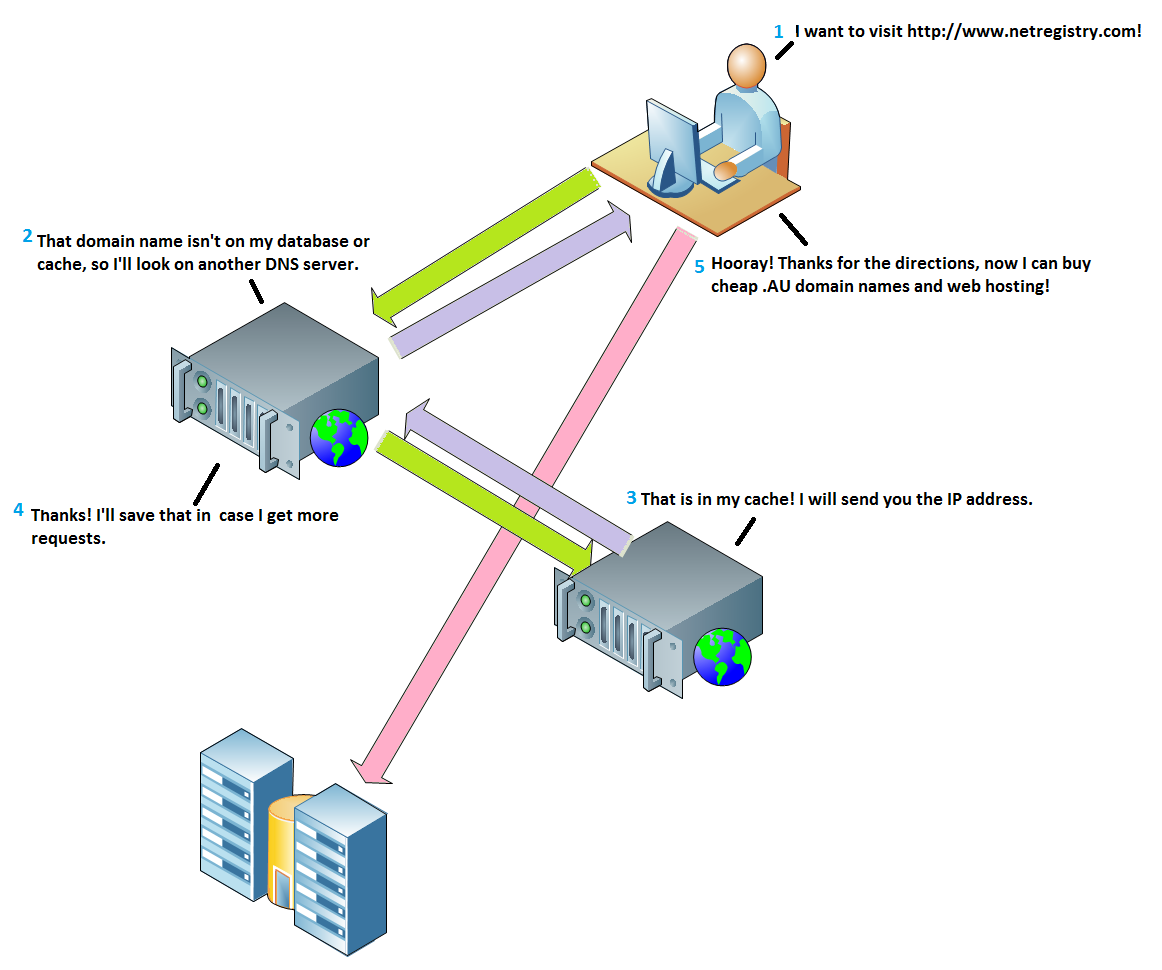
 In order for a domain name to find its corresponding website or email service, it must be delegated to a name server. Every name server contains a zone file, which contains zone records. These are used to translate domain names into IP addresses, which represent the computer servers that host your website or email service.
Why isn’t the domain name I’m typing in connecting to a website?
There are several reasons why a domain name isn’t connecting to a website or email service. These can include:- The domain name has expired
- The domain name doesn’t exist/has been misspelled
- The domain name is delegated to a name server that doesn’t hold accurate zone files
- The domain name is pointed to the correct service but something is wrong with the service
My domain name isn’t loading my website, help!
If you are currently experiencing some issues with your domain name and you believe it may be DNS related, follow the steps below to ensure everything is setup correctly.- Perform a Whois lookup against your domain name.\
- Has it expired?\
- Who is the Registrar?\
- Is it delegated to the correct name servers?
- If it’s delegated to the wrong name servers, modify your domains name servers.
- Double check that your zone file has accurate zone records.
What does each zone record do?
For an email or website hosting service to function alongside a domain name, the domain name requires a zone file. Within your domains zone file, there are several different kinds of zone records and each record serves a specific function. Below is a table describing each type of record that exists within your domains zone file and how you can use them. You do not need to add all of these to your domain for it to work, however you may find you need to add extra records later down the track.
Depending on what type of subscription service you have with us, the tools you use to manage your domains zone file may differ. If you have any issues updating or editing your zone records, don’t hesitate to contact our customer service team for assistance.